
Album art can be embedded into MP3 files fairly easily using ID3 tags. However, before you start filling up all of your MP3 files with works of art, there are a few things that you should stop to consider first.
While MP3 files were not originally intended to store additional metadata within them, the release of the ID3 tag protocol in 1996 suddenly made this a possibility. However, it wasn’t until version 2 of the protocol became available that MP3 files could actually contain embedded album art.
So, before you start cutting and pasting huge graphics and adding them into your collection of MP3 tracks, what do you need to consider to avert potential disaster?
ID3 Tags and MP3 Files
A standard MP3 file only contains audio data, with no additional information about the artist or type of audio contained within it. To include such extra information in an MP3 track, tag data is usually added to the beginning or end of the audio file in ID3 format.
ID3 tags allow you to store additional information within your MP3 files such as the track title, artist name and even album art. If you’re not familiar with ID3 tags, you may find my previous article on What are ID3 tags in MP3 files? helpful.
Image Types
While the ID3v2 tag standard allows any type of image to be embedded in an MP3 file, it does advise that either PNG or JPEG formats should be used when interoperability with playback devices is required. Practically speaking JPEG images have been adopted as the de facto standard in this respect.
The ID3 standard is very flexible with regards to the type and number of images that can be embedded in a MP3 single file. The full list of different images that can be embedded are:
- $00 – Other
- $01 – 32×32 pixels ‘file icon’ (PNG only)
- $02 – Other file icon
- $03 – Cover (front)
- $04 – Cover (back)
- $05 – Leaflet page
- $06 – Media (e.g. label side of CD)
- $07 – Lead artist/lead performer/soloist
- $08 – Artist/performer
- $09 – Conductor
- $0A – Band/Orchestra
- $0B – Composer
- $0C – Lyricist/text writer
- $0D – Recording Location
- $0E – During recording
- $0F – During performance
- $10 – Movie/video screen capture
- $11 – A bright coloured fish
- $12 – Illustration
- $13 – Band/artist logotype
- $14 – Publisher/Studio logotype
Quite an exhaustive list, and while a single MP3 file could embed all of the above images, in practice only one image is ever usually embedded.
File Sizes
Unfortunately, any additional information that you add to an MP3 file will increase its file size and this is of particular importance when adding images due to their potential size, even with compressed images such as JPEGs.
However, this does need to be taken in context. For example, adding an 80kB JPEG image to a single 8MB podcast won’t have a significant effect; it’s only a 1% increase in file size.
If on the other hand you add an 80kB album image to every single track in your MP3 collection, let’s say of 1,000 songs, then you’ll need any additional 80MB of storage, which could otherwise hold a further 20 songs or so (another 2 albums).
Current Media Player Support
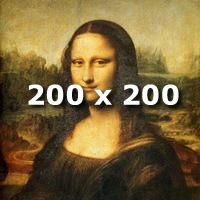 Windows Media Player embeds album artwork as 200 x 200 pixel images, although will display larger images if they are embedded in the playing file as a larger size. iTunes currently displays album art as 200 x 200 pixel images. The picture to the right is sized at 200 x 200 pixels by way of example and is 35kB in file size.
The resolution of the iPod nano and iPod classic screens is 320 x 240 pixels. The iPod touch screen is 480 x 320 pixels, more than sufficient to display images of 200 x 200 pixels.
The Current Standard
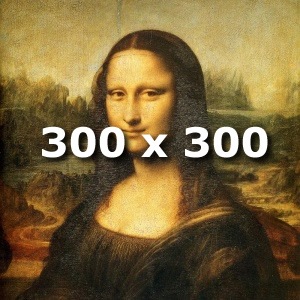 The majority of podcasts that include images embedded within them adopt an image size of 300 x 300 pixels.
The picture to the right is sized at 300 x 300 pixels and is 62kB in file size by way of example.
JPEG images of these dimensions will vary in file size (dependant on the compression ratio used and image complexity) from around 10kB to 80kB or so. A 300 x 300 pixel image is actually over twice the size of a 200 x 200 image, and will consequently lead to approximately double file sizes.
Adding Your Own Pictures
So if you’re producing your own podcast and want to enhance it with your own logo, or just want to embellish some of the tracks that you already have in your MP3 collection with album art, what’s the best way forward?
It’s probably best to standardise on JPEG images to ensure that your artwork can be seen on the majority of possible playback devices.
Image sizes are probably best set at 300 x 300 pixels to display in reasonable quality on most playback systems. However, if you’re concerned about the space taken up by these images, 200 x 200 pixel images may be the better option for you, reducing the image file size to about half that of a 300 x 300 pixel image. The BBC (a useful technical yardstick I’ve always found) embed 300 x 300 images in their podcasts.
If your current software doesn’t allow you to embed or add images to your MP3 files directly, then standalone tag editing software should offer you this functionality. Some useful examples of such are:

I’ve been looling into metadata a bit recently.
The phrase “album art” isn’t strictly speaking correct when referring to single track mp3 files.
iTunes stores artwork in the music file and as such is actually track artwork, whereas windows media player stores the artwork for the album in it’s own library database, and as a separate file in the album directory – so that can be called album artwork.
If you’re only interested in adding album artwork, then utilities like album art aggregator are very useful. It uses the artist and album data to find artwork on amazon.com.
Thanks for this post, Richard.
I’m a little bit in the dark about embedded artwork. Does the artwork itself actually get embedded, or is it purely a link to the artwork file? So, wherever the mp3 goes, the artwork must also go, by necessity.
If it is just a link to the artwork, why not simply use the old “folder.jpg” deal? If the image itself is embedded in the ID3 tag, can you then dispose of the original image?
…if you get what I mean…
The artwork file(s) are actually embedded in the MP3 audio file, so wherever it goes, the artwork is with it. No need to include external files.
@Rory: The artwork is actually embedded within the MP3 track, so once it’s embedded you no longer need the original image. Hope this answers your question.
hi,
i have an old imac i just use as a jukebox, and i would like to copy my mp3 files to it, only when they have artwork added.
is there a way to do so?
regards
luk
@Luk: I’m not immediately aware of any software that will do what you want, but it may be worth trawling through the web to see. Alternatively, depending on your technical prowess, you could write a script to copy files only if the source MP3 contains an embedded image ID3 tag.
Thanks for this post. Are you aware of any software which can consolidate iTunes, WMP, folder.jpg and embedded artwork? I have lots of music and the artwork is all over the place so it would be great if there was a utility which would show what artwork from different sources I have on my system for each album and then let me select which to keep (the iTunes artwork is better for this album, the WMP artwork is better for this one) and consolidate them down into ID3 tags.
@Danny: That sounds to be a very unique application that would probably require custom software. I certainly don’t know of anything that comes even remotely close to what you’re looking for. I assume that you’ve trawled through the search engines?
I use MP3Tag to edit my ID3 tags, the latest version of which allows you to save (export) embedded album art, which may help you, although it would be somewhat tedious.
Very handy article thanks. I use iTunes for my mp3 library and download and add all the artwork myself. I set the size to 300×300.
Tag&Rename is another great program for sorting out art work and tagging mp3’s.
I’ve been spending ages getting all my music into itunes with all the album art and it looks great. I want to know if iTunes “embeds” the image to the mp3 or holds it in a seperate location, any way I can find out?
I’ve been using Mp3tag to edit files. When I select ‘add cover’, and select a jpeg image that has been downloaded from the web, it sometimes comes in to ‘fill’ the window in Mp3tag, and sometimes it is only 1/4 size of the window. What is the relationship between pixel size and dpi value for artwork, and what is the ‘best’ size to use. I have tried resizing (using Pixillion Image Converter) the small sized images to a larger size ie from 150 to 300 or 500, but it dosen’t seem to make the image fit the window. I would somehow like to get it all standardized, thanks
I decided before spending days putting all my music into itunes that I would use 300×300 for my art work.
Before I would add the artwork using itunes but when I play the files on other machines sometimes the artwork didn’t show up.
I now add the artwork before using Tag&Rename. To be honest I have never used this Mp3tag but keep hearing only good things. Maybe I’ll give it a shot.
I kind of wish I used a larger size, maybe 600×600. The art looks fine on the ipod or other portable device in 300×300, but full screen on the PC it ain’t so pretty!
@hannndy45: What version of Mp3tag are you using? I’m using V2.42, which has some improved cover art handling. Also, how do you import the cover art; drag-and-drop, from the clipboard or import from a file? This may affect things.
I use 300×300 artwork imported from a JPEG file directly (72 dpi resolution) and have never experienced any problems like you’re encountering.
You could also try the Mp3tag forum for advice.
@Adam: Glad to see you’re making some progress at last
What I found is that there are devices that will not display artwork larger than 200×200. For example, I spent days trying to figure out why some art would display and others not on my new DLink DSM-520 Media Player. After trial and error, I confirmed that 200×200 is the maximum size that would display on that device. I also like Mp3tag to edit tags. It works well.
is there a way to become a content writer for the site?
I’m happy to have guest posts and to credit the guest author.
If you have any articles or posts that you think may be appropriate to my blog, please let me know.
I can’t guarantee to publish everything submitted, but if it’s appropriate for the site, then I’m happy to consider it.
great site, forum, and thread…i’ve been looking all over for this info..glad to find it in an easy to use manner. Thanks.
@hannndy45
I use an old paint program (Paint shop pro 7). It loads in a flash and within a few clicks you can have your image resized.
300×300 is fine for most of today’s devices. So I simply find the image then load it up, if I have nothing better to do I’ll maybe jazz it up a bit, save it as folder.jpg in My Documents.
Then load up your tagging software and import the image. You can then save the next file over the old one for quick and easy access.
If the artwork is “embedded” in the actual MP3’s themselves then most devices will show the artwork with no problems.
If you get everything setup first time round hopefully your never need to do anything with your files again, well, that’s the way I look at it!
on my ipod touch under artist,when i select an artist the screen moves to show the album covers with album name, touch the album it then shows the tracks within the album.perfect! NOW with some artist, it goes straight to the track, no album cover. i ise media monkey to embed the artwork for albums and cover. my itouch shows the covers for all albums in cover flow but doesn’t show the album artwork in album category. i tried to reembed the art work, remains the same. any ideas why. thank you if you can reply
@ronald: I’m afraid that I’ve no direct experience with either the Apple ipod touch or media monkey.
However, is your artwork actually being embedded in the tracks, as often album artwork for a collection of album tracks is actually saved in the album folder as a separate JPEG image and not embedded separately in each album track?
Embedding album artwork in every album track is obviously a very inefficient way of doing things.
It might be worth checking if you can to see how things are being done by the software as this could explain the results that you are experiencing.
This is too confusing. I noticed that some music albums form the net come with artwork hidden and when the songs are in the mp3 player the images are displayed. How can i put this to my songs that i ripped from my CDs?
@abel: Artwork hidden in MP3 files is embedded using ID3 tags as described in the post above. If you want to do the same with tracks ripped from your own CDs, you’ll need to use a tag editor to add the artwork to the MP3 files.
Alternatively you could use different ripping software that would rip your tracks and add the artwork at the same time, like MediaMonkey for example.
Thanks a lot very helpful, I think I just got the right software.
I have a common folder on an NAS for all of my MP3s. I am teh only one that has write privileges to it, so as to avoid accidental deletions by the rest of my family. I recently went through, using iTunes, and added album art to all of my MP3s. I then went to my wife’s machine, ran iTunes finagled around a bit and was unable to see the album art as I had expected. I even deleted an album from her iTunes and then re-added the folder and still there was no album art. So, I am currently confused, as while I accept what you say, it would seem that my files are not holding the album art. In fact, right now I have selected all songs in her library (all of which are located on this read-only share for her) and told iTunes to update the album art – which it is now doing. This is suggesting to me that iTunes is storing the album art in its catalogue and not the mp3 file itself. Can you confirm or explain what I am witnessing?
I’m afraid I’m a Windows man and use Windows Media Player to store and rip all of my music, so have no direct experience of iTunes.
However, if iTunes is anything like Windows Media Player, then the album artwork is not stored in any of the tracks themselves, but rather in a separate image file within the album’s folder/directory.
Can anyone help me on inserting album art using ID3 form.
If somebody like to help me please send a message to +94712950269 or reply by leaving a comment to this!
I would be gratefull if you’d help me!
Have you tried downloading and using a tag editor like Mp3tag? Mp3tag also has a good support forum that you may find useful.
I have added album art tags to all my music files (set at 600 x 600 pixel resolution).
I want to add back covers and sleeve notes, which I can do – but don’t know of any players that will actually SHOW anything but front cover art work.
Any suggestions?
Unfortunately, while the ID3 tags allow all sorts of artwork to be embedded in MP3s, I’m not aware of any players that display this artwork in a meaningful way.
I’ve come across this problem myself and wrote about it in another post.
Thnks Richard – I guess that will save me a lot of time and effort, as I have 8600 mp3 files I was going to add additional images to!! Still, I will continue to scan the back covers and notes – I am sure a player will appear with viewing capabilities one day.
Don’t know if anyone has checked out “AlbumArtExchange.com”. Its a site for sharing high resolution album images (600 x 600 pixels). There are thousands of albums already on the site – and its free to download these images. I am currently uploading my images to share with the site.
Chris
The albumartexchange.com website is an excellent resource that I’m sure a lot of people will find really useful.
Here’s hoping that the next generation of MP3 players will have a more sophisticated approach to handling album art.
Hiya,
Very informative article. Especially the max supported size for embedded images was hard to find on the net.
Regards,
Gerard.
Your article is extremely helpful. However, you do not mention what setting to use for dpi (unless I missed it). I’m scanning images from CDs and resizing them using Photoshop. My 300 x 300 pixel photos are about 150 kb. You mentioned a 62 kb size. What dpi should I be using? What jpg quality should I select when saving the files?
I use 72 dpi resolution, which seems to be a fairly standard resolution for web/computer based images.
Regarding the JPEG quality, that’s probably a bit more subjective as lower quality will lead to smaller file sizes, but will obviously lead to poorer images, which can be in the eye of the beholder. Maybe a bit of experimentation is required; trying a few different settings to find a quality level that you find acceptable without too many visual artefacts.
If you’re a unix console user, this recipe may be a helpful starting point:
mp3info2 -F “APIC < 300×300.jpg" tgt.mp3
Hi
Im trying to embed the album art in the mp3 tag file using VB code but cant find the instructions to do it. Could anyone help me in this respect?
Try having a look at http://www.id3.org/Developer_Information and
http://www.id3.org/Implementations
Richard-
Thanks for a very informative thread.
My question is this: “If you embed album art in a single mp3, will that be sufficient to display the cover for the entire album, or would I need to embed that art in each track on an album? Would it need to be the first track on the album? Last?
With +\- 9000 mp3 files, it would save so much time and disc space if I could simply embed once per album.
Thanks!
Hi, a very good question, but unfortunately the answer isn’t simple as it really depends how your MP3 player has implemented the ID3 specification.
My post on Alternative ID3 Tags for Adding Artwork to MP3 Files should explain things for you however.
I would certainly counsel against putting artwork in every track as this would, as you say, take up a huge amount of unnecessary space.
I hate MP3.
A few years ago, I added cover art to ALL my mp3 files using iTunes. Now after I installed Win7 with WMP, I no longer use iTunes. Unfortunetely, WMP cannot read the cover art from all mp3 files – only som of them.
If I add album art to an album in WMP, it refuses to add the cover to all files in the album. Nomatter how I do it. Likewise, Windows Explorer can read the album art for the album, but not all files in the album.
What is wrong with people making software for playing mp3 files? I mean, this is not getting a rocket to the moon or something. How hard can it be?
So, all I have to do is once AGAIN to add the abum art to each file using 3. part software? This is not only lame – it is plain stupid.
I do indeed sympathise with your plight having experienced how different media players handle track artwork first hand!
Hi Richard
I followed your guide and installed the Mp3Tag software. It works outstanding! I can change everything (even remove hidden iTunes tags) and add Album Art to EVERY file. Great!
Now I only need to edit another 638 albums – or delete 90% of them which I never hear anyway 🙂
Thanks for your guide.
You’re welcome. I’m glad it was of some help.
I’ve put art on my Mp3’s through I tunes. The art has also shown on another itunes on another PC. The art has also shown up on Windows Media Player on various other computers. Does this suggest that the art IS embedded in the MP3’s from Itunes (rather than put in a seperate folder?). I realise that you haven’t used itunes but I would have thought that this is the case given that the art is shown on various computers.
Opinion?
Like you say, I’m not familiar with iTunes, but it does seem to suggest that the artwork has been embedded in the files, although it’s always possible that the artwork could be saved in the album folder with the tracks associated to the particular album.
You could always use a free tool like mp3tag, which will show you all the additional data actually embedded in the tracks themselves. That way you’ll be certain and be able to see what’s actually happening for yourself.
My favorite place to search for high quality album artwork is AlbumArtExchange.com. IMO, the selection of images there is miles above the other sites.
Hi Richard I have a little problem I recently ran into, Ive been tagging and putting artwork to all my mp3’s using Music Brainz Picard first for the info and then mediamonkey for the artwork and I was doing fine until I realized that most on the info and artwork doesn’t show on the explorer windows, winamp shows it fine, itunes and zune player also, i dont know what im doing wrong, any help would be kindly appreciated !! P.D.: I really don’t care about the WMP showing it since I don’t use it but I would really like it to be displayed on the explorer windows ! by the way i’m on windows 7 x64
@Eddy
For the art to show in windows explorer you will need to place a “folder.jpg” in the folder. Then when you look at the folders in thumbnail view it will replace the standard yellow folder with whatever the folder.jpg file is.
thanx Adam, but I discovered what the problem was, music braiz picard was messing up my files cause it wasn’t copying the info over to id3tag v.2 and it wasn’t cleaning the old tag until i clicked on that option, now its fine and media monkey is perfect for finding the artwork, until now i have half on my mp3s perfectly tagged and with the correct artwork and everything shows perfectly on the explorer windows, i really recommend this method to everyone !! P.D.: the wmp can read the metadata and the artwork just fine with this method, theres no need for a folder.jpg file cause all the artwork is embedded into the mp3 with mediamonkey !!! its perfect !!! al my media players read all the info, itunes, winamp, zune player, wmp and my iPhone !!! if anyone wants any info mail me at hudtwalcker@hotmail.com I will answer all your questions !!
I’m having the exact opposite problem: I’m trying to REMOVE artwork from mp3 files, for reasons too complex to discuss here. Problem is, the picture (900×900 jpeg) does NOT seem to be in the tag. I’ve stripped out all id3 tags with numerous tag editors and the picture is still there, embedded somehow into the file itself. The only way I can get rid of it is to decode the mp3 to a wav file, then re-encode it back to mp3 again. Not only is this a pain, but I’m sure the double conversion degrades the quality as well. Anyone have any ideas as to how these pictures are embedded, and how to get rid of them? I’m using Windows; is it possible they were added with some specific Mac software? Thanks for any info.
You are indeed correct that decoding and re-encoding an MP3 track will degrade the quality and is best avoided if at all possible.
If you want to send me one of your tracks that is exhibiting the problem, I’d be happy to have a look at it for you as you’ve certainly sparked my curiosity.
Try using Winamp player. I use it to delete artwork that is embedded into the song. It deletes the artwork but you cannot paste artwork again via Winamp.
@Melodian, I would not re-encode.
What software have you tried? I can’t give Tag&Rename enough props, have you tried this? This deals with adding art and showing already added art.
But how do I change album art that has alredy been embedded in a track previously that is incorrect. I tried dragging the new artwork over the old within iTunes but it just flashes back to the old incorrect one and wont let me change…………. infuriating!!!!
Try another tag editor like Mp3Tag. I’ve changed artwork in the past using this tool. Maybe iTunes is trying to be too clever and is overriding what you’re trying to do?
Hi, thank you for the replies. I’ve tried ID3-TagIT (my tag editor of first choice), mptagger, winamp, foobar2k, id3kill, media monkey, and a couple of others whose names escape me at the moment. I do have tag&rename, although I haven’t used it in a while but will dig it out and see what it can do.
I’ve also checked to be sure there’s not an external album art jpg somewhere that these are referring back to. My best guess at the moment after digging into this some more is that the problem files seem to use the id3v2.4 format, and perhaps tag editors that expect to see a v2.3 tag are unable to remove the picture, even when they say the tag has been completely removed. I’m going to explore this angle in more depth.
Richard, I appreciate your offer to take a look at one of the tracks, and I’ll be glad to send you a copy of the next one I encounter. (I’ve deleted the originals of the last batch I “fixed” by converting … and I agree, this is a solution to be avoided if at all possible.) I’m certain that I’ll run into others shortly, though.
Thanks again for your help.
Mp3Tag is my preferred tag editor and it reckons to support ID3v1, ID3v2.3, ID3v2.4, iTunes MP4, WMA, Vorbis Comments and APE Tag, so if you think it could be an ID3v2.4 issue, perhaps this would help?
Mystery solved … I think.
When I first opened the files with Id3TagIT, it showed that a v1 and a v2.3 tag were present. I removed both of them (it reported no tags of any kind at this point), and closed the program. However, the pictures were still present in the mp3, as shown by ACDSee (which displays any image in any file). Looking at these files with various tag editors, there were no apparent tags present at all in the files … yet still the embedded pictures.
It wasn’t until I accidentally opened the problem files a second time in Id3TagIT that it reported a v2.4 tag was present! I removed this 2.4 tag and presto! the images were gone. I’m not sure if there were both versions present originally (is that even possible?) and the v2.3 masked the v2.4, or what. Also not sure why any of the other tag editors failed to spot the 2.4 tag. But no matter, I’m good now. Just thought I’d mention it in case anyone else ever has the same problem. If you don’t succeed the first time, try again. 🙂
An excellent bit of detective work and I’m pleased to hear that you’ve finally solved your problem. Thanks for posting your solution, hopefully this will help others who find themselves in a similar pickle.
http://www.ehow.com/how_2029123_add-artwork-podcasts-using-garageband.html
Hi,
I have an fusion n-power, and I want to know how to add album art onto it, I don’t quite understand the instructions, but can you walk me through?
Thanks:)
Hi, I’m afraid I don’t have any experience of the Fusion n-power, but would suggest you need to add album art to the files on your main computer before transferring to your media player using one of any number of popular tag editors.
Thanks for taking the time to help people with their problems. I’m having sort of the opposite problem. How do I get windows media player to stop with the album art? It is useless and starts to take up a lot of space. I delete them from where I have my songs stored, but as soon as I open up win. med. player they all come back, 4 for each album picture; there’s 3 called album art, 2 just say albumart and 1 says albumartsmall, and then there’s 1 that says folder with the other 3 in it. I originally pasted some pictures to the album art spot, but now, well, there’s a lot of songs and all the extra album art things just take-up too much space. How can I permanently delete them so they won’t just come back? The properties folder gives me their location, but deleting them from there doesn’t do anything. This is driving me nuts and if anyone has any idea, it would be helpful
Hi Luke, Unless you are really struggling with storage on your system, I’m not sure it’s worth the effort (if indeed it’s at all possible) as the storage requirement for the artwork is fractional compared to the music itself.
Windows Media Player stores artwork per album, which is much more efficient than storing the same artwork for every track. I’m not sure if you can stop this behaviour in Media Player, I suspect that it’s deeply embedded within the inner workings of the software.
I have old mp3 files that doesn’t support id3, is there anyway I could convert them so it can support id3 and I can add all this artworks?
From my understanding all MP3 files should be able to accept ID3 tags. Try downloading one of the free ID3 tag editors and have a go with one of your old MP3 files, it should work. I’d be interested to hear how you get on.
Hi Richard, sorry for the question and for my bad English..
have you some ideas how to extract cover images from an ID3 taf to show it in a HTML (or php or…) page in web?
I’m tryin to find someone who tell me if it is possible or not: the only solutio, until now, I’ve found, are to put images from Amazon or Doscogs.. There’s no way to take it from the mo3 (better if from a playlist “.pls” or something like this..)
Thank you very much.
Hey Lorenzo, I happen to have the same need! Have you manage to find any solution?
Hi nzj!
Sorry for the delay: if you can readmy answer to Richard, you’ll be able to understand that I was away for a while and I haven’t find solutions before the one suggested me by Richard: I’ll try it and I’ll post my resutsa as soon as possible^^
Have a nice day.
L.
Hi Lorenzo, Sorry for the delay in responding, but I’ve been away for a few weeks.
I believe it is possible to extract the album artwork from an MP3 ID3 tag. PHP has some classes that you could use for this if your web server has them installed as part of its PHP installation:
http://www.php.net/manual/en/refs.utilspec.audio.php.
I’ve never tried this myself, so I’d be interested to hear if you have any success with this.
Hi Richard!
I had the same “problem” of you ^^
Sorry for the delay. Ok, thank you very much, I’ll try to use that clases and I will post my results as son as possible 🙂
which is the best size of album art to use for my nokia 5530 and nokia 5230, is it 500 x 500 or 300 x 300 for it to embed. or you have a suggested size. thank you…
For phones I think 300×300 is a good size, but I use bigger sizes because I use the same mp3 files in my PC and in my phone, in my PC I prefer big album arts.
BUT, I realized that album art (embedded directly into the mp3) bigger than 600×600 pixels don’t show up in Nokia phones music players, so now I use a maximun 600×600 in all files and it shows up perfectly in my PC/Winamp and in my phone music player. My phone is a Nokia 5320, but I think this is the same for all the Nokia phones with Symbian OS/S60 system, which is the system of my phone. I hope this help you.
I use Mp3Tag for tag editing and album art embedding and never had a problem, I strongly recommend this powerful tag editor, works perfect and you never have surprices.
(PS: sorry for my english)
Very interesting what you say about the maximum resolution for album artwork on Nokia phones. I wonder how many others have experienced this issue?
Your English is excellent by the way; much better than I am at ANY foreign language.
Is there any way of adding album art to MP3 files using ffmpeg CLI on Linux?
Thanks in advance.
~ Ansuman
hi there,
i decide sort my mp3 collection, but i have little problem with album covering. I have used mp3Taggers, but they just linking my mp3 with jpeg file. When jpeg deleted, covers deleting automaticly as well. But i have one mp3 file which no idea where from came, but it has cover without any linked jpeg. I couldn’t reach why it’s like that. please gimmi advice.
Thanks.
Hi, I use MP3TAG all the time and it actually embeds the artwork into the MP3 file, not just a referenced link like you seem to be experiencing. It’s free to download, so why not give it a try? You should also be able to edit or delete the image that is embedded in your one file.
Yeap, now i got it why some tags linked and some whithin the file. Mp3tag does its job. And thanks to you! Now my collection looks suprb in pc and my phone,. 🙂
Glad I could help.
This is an excellent thread, but I’m still not clear! Some of my album art appears quite large in WMP, but most is a tiny postage stamp in the middle of the screen. I’d love to fill most of the available screen space if I could.
I’m battling with the same problem in other areas too: onmy mobile phone, some contact .jpgs show full screen when a call is in progress, but others are tiny. A large one and a small one each show about 1150*1652 pixel size and 72dpi, yet the displayed image varies enormously. I think if I could crack this for WMP, then I could resolve all……
Not really sure what to suggest. You could try copying a 300×300 jpeg onto your clipboard, then go into WMP, right click the existing small album art and paste the new artwork from the clipboard to see if that manages to overwrite the smaller artwork for you.
Hi! Is there a way to embed an album cover to wave files, like e.g. MP3TAG does for mp3 files?
Hi,
Unfortunately not. WAV files don’t really support metadata as such, although some flavours of WAV such as the Broadcast Wave Format (BWF) do support some limited metadata, but aimed more at the broadcasting industry and not consumer oriented stuff such as album art.
I tried pasting a definite 300*300 into wmp and got the same image. On “now playing” the album art takes up about one sixth of the available horizontal space, and one third of the available vertical space. Is that what I should expect? I’d like to have a [almost] full screen album cover on display.
The percentages are dependent on your screen size I guess. From my tests I think WMP will only display a maximum album image of 300x300px. A 300px square image may look tiny on full screen on a big monitor.
really thanks, that was very helpful…. especially the softwares.
if u allow me to add another free relevant software (stamp):
http://www.nch.com.au/tageditor/index.html
this site have many other cool programs related to conversions and stuff.
Is it advisable to use upto 500×500 size images?
You certainly can if you want, but remember bigger images take up more storage space. Also, what is the maximum size of image that your playback device supports, as there’s definitely no point in going larger than that.
I putted an album art in wma file, then it worked when I double clicked it on the computer. but when I played the song on my cellphone (C510), the album art won’t show. I have another song, someone just sent it to me, then when I played it, the album art showed. Please help.
When using Windows Media Player, album art is saved as an image in the folder with the rest of the album tracks and not actually in the track itself, so if you copy an individual track to another device such as a mobile phone, the album art probably isn’t getting copied across as well. If you copied the whole album folder across, then the album art may work.
It is possible to embed album art into individual WMA tracks using something like the MP3TAG editor, but you’d have to do this on each track individually.
Is the song that was sent to you in wma format or MP3? What cell phone are you using?
thanx a lot ma….this really helped a lot….thanx….respect+++…..
Yes the MP3TAG is a nice program that avoids this problem by imbedding the art.
Hey Richard,
Thanks for your site. I am trying to use MP3 files in a somewhat unconventional way. My “artists” are not humans, but rather birds. “Birders”, as opposed to music fans, use a technique called “playback” to attract certain species. In certain locations-like the Amazon-sound is a much more reliable way to identify species than by sight. Thanks to you, I am able to imbed an illustrative image of the bird in 300 x 300 jpeg format in an mp3. For years the status quo was to use an I-pod, …..to be continued….
Hi Douglas, I’m so pleased that you found my site helpful.
To all interested guys and girls,
You can google a freeware able to find and add album art in mp3s very easily. It’s Creevity Mp3 Cover Downloader.
This information is what I was searching for. Thank you for good post.
very helpful … thanks
You can use Winamp to link a mp3 file to a specific jpg album art without embedded it. Definitely, there are some disadvantages if you want to move your music to other devices or share it via internet.
If you need an tutorial on using Mp3Tag to include artwork on mp3 use this one:
http://www.withsteps.com/602/include-album-art-into-mp3-files.html
I’d like to say thanks to Richard for his clear explanations.
And thank you boguzz for the link to the tutorial.
Another tutorial (which I made after reading the above one) to embed artwork using Mp3Tag plus AlbumArtDownloader can be found: here or here.
Hi,
Very useful info. Exactly the explanation i was looking for.
Thanks!
I’ve been very interested to read some of the reviews/comments regarding embedding artwork in mp3s. I have both a comment and a question.
Firstly, as I understand it, neither WMP nor Winamp actually embed artwork, they simply create an image file in the mp3 folder and refer to it when the music is played. (This is why artwork will often not appear if you move the music file to another location). WMP creates a (hidden) file called AlbumArtLarge.jpg and Winamp creates a file called .jpg. There are advantages and disadvantages with both methods, depending on how you listen to your music.
On the other hand, some music files do actually have artwork embedded, usually while being ripped to your computer. This way the picture will always (or almost always) appear when the music is played. I’ve got such a file on my computer right now and it is this file which brings me to my question. The mp3 has been tagged incorrectly (by my music ripper, not by me). I edited the tags so that the track would match the others in the folder… and now the embedded artwork no longer shows up! Yes, I could just rerip my CD, but I’d rather learn what’s happened and how to rectify it.
Right-clicking the file in XP lets me see some limited ID3 information. Viewing the file information in Winamp (my player of choice) shows me both ID3 and ID3v2 tags. However, Winamp does not store image metadata in the ID3v2 tag, it uses a different method (as described above), which means that reattaching the artwork results in a new jpg file being created.
The file was originally encoded in iTunes (before I abandoned it with an all-consuming hatred of all things Apple) and I have to assume this is where the artwork was originally embedded. I’d like to know how this was done and if it can be reproduced (without using iTunes). I’d be interested to read your suggestions.
How did you edit the tags? Re-writing the tags could have destroyed the artwork. You could see if it is still there and easily restore it with Mp3Tag.
Hi Phil, It looks like you have got a pretty good understanding of what’s going on. The problem might be with your troublesome file that there are actually 20 tags that can store album art in an MP3 and unfortunately most software will only display one of them. Try using MP3Tag, or a similar tag editor to look at all of these artwork tags to see if you can track down the errant artwork.
very helpful site and so thanks
thanks bro for this very useful information 😀
I use a 40″ c650 lcd tv as a pc monitor and no matter how much i have tried, the size and quality of the art is poor. Using a usb stick in the tv, the art is good on its own but with music its poor. Any ideas.
Hi, I guess it all depends on what system you use to play your music and how it handles artwork. For example I think Windows media player only stores images up to a maximum resolution of 200px, which if blown up full screen is always going to look rather grainy.
Hi Richard. Thanks for the prompt reply. I have the same tv in the living room and just play the music through that tv by stick or external hdd on tv media play. The music quality is good enough but i like good cover art and it is not good enough.
If the original program used to rip your music, or even bought music, embedded the artwork at a low resolution then you’re kind of stuck without using another piece of software to go in and update the artwork files to a higher resolution. Something I’ve come across before is an album artwork management tool called Bliss, it may be worth a go?
Hello Sir,
I From INDIA And I am Very Big Fan Of Yours…..
Can you Clarify me that what is the official and Actual size in Pixels of an mp3 Album art? and if I Download Songs from I TUNES What Will be the size of the album art of that File?.
Hi,
Thanks for your kind comments. Regarding your question, the ID3 tagging standard for album art in MP3s doesn’t specify a size, you can put in whatever image size you want. I think iTunes uses 200x200px images, but as I don’t use iTunes I can’t verify this; they may also have changed things as display sizes are increasing with devices like the iPad.
Thank you very much SIR.
You’re welcome.
so thats how you embed album art!
thanks for the heads up.
I have an MP3 of an obscure musical group for which Windows Media Player couldn’t find any album info. I like to have the album cover showing when a song is playing, so I found a jpeg image of the cover online and copied it to my computer. Then I discovered a way to link it to my mp3 through WMP. If I right-click on the mp3 in the library tab, choose advanced tag editor, click pictures, and click add, I am able to add the picture to the mp3 file and have it display in WMP. I thought this information might help others with simple needs like mine.
Hi Kerry, A useful tip, thanks very much.
Thanks for sharing, Richard, this helped a lot! 🙂
Awesome! I was looking for this info and here it is! Now I just need to know the easiest way to get music up to itunes without having to pay a 3rd party a fee.
How can I successfully add such an image to a burned CD? The images added to ID3tag dissapear as soon as I burn the CD 🙁
Hi, If you’ve burnt a CD that can be played on standard CD players, the the audio files would be converted to WAV files that don’t support embedded artwork unfortunately. The only way would be to burn a DATA CD with MP3 files and their associated embedded artwork, which might play on more modern CD players, but wouldn’t be classed as a standard CD.
On most album arts I find the name interesting. On a song from the show “Criss Angel: Mindfreak” I found and album art called “AlbumArt_{553F5C66-56A8-46E2-9B45-57C6B89FE2EB}_Small.jpg” does this have anything to do with embedding an image to a song?
Hi, This filename looks like the sort that Windows Media Player generates automatically for the album artwork and sticks in the same folder as all the tracks. This is not actually embedded as such in any of the tracks.
Hi richard
plz help me
i added a picture to an mp3 in mp3tag and saved it. It shows that picture on computer but when i copied it to my cell phone that mp3 did not showed the picture so i am a bit confused wat to do. Is it because the image was above or under 200 or 300 resolution dat u said if yes then plz guide me how to change the resolution and give me the needfull guidings to put the picture to mp3 but should be visible on my cell phone after copieng. As i am a dj it is very important for me to put my image to my mixes and publish it was wondering how the other djs put their pic to their mp3s man
kindly need your help
thanks in advance
take care cia…
Hi, Without having direct experience of your phone it’s difficult to tell. Maybe working backwards would help. If you have an MP3 that displays the artwork correctly on your phone, download that file onto your PC and analyze the artwork in MP3TAG to see what size it is, what file type (e.g. jpeg) and which artwork id it uses (there are numerous different possibilities). Then try and use these same settings when you upload new tracks to your phone to see if it works.
Good luck.
how can i download this
Download what exactly?
Thanks for your very useful info! Wish you all the best.
Just wanted to know that this was very helpful. Thanks
You’re welcome; glad you found it helpful.
Thanks for your helpful article.
I am about to feed my MP3 collection into iTunes on the Mac and wanted to be sure what I was doing. Having some kind of artwork inside the MP3 file has to be the way to go, though if I ever get an iPad (who knows?) then maybe I’d want bigger artwork. Maybe.
😎
Hi, Glad you found the article useful. I have no experience with iTunes I’m afraid, so can’t advise you of the best way forward to process your tunes, but I’m sure you’ll get the hang of it fairly quickly. Good luck.
Regarding Embedded Image Size…
I have noticed that when saving JPG files in Photoshop, a higher compression results in a much smaller file size. Considering this, is there anything wrong with embedding a JPG with 500 x 500 pixel size? Since Windows Media Player has the feature to show the album art in a big window, this size allows more detail to show especially helpful when there is a lot of small text on the album cover.
BTW…I use MP3 Tag Assistant Pro 2.9.2 program which makes it easy to embed all songs in an album in one step.
Would appreciate your feedback and thank you in advance.
Your logic is perfectly correct, but if you compress an image too much you will begin to see compression artefacts and loose quality, so you’ll need to experiment to find the best compression settings that work for you balancing quality against filesize. Having said that there’s absolutely no reason not to go for 500x500px images if it works for you.
Richard, thanks for the info. Just what I was looking for!
You’re most welcome, I’m pleased you found it of help.
Hi. I need to be enlightened! I’m a MAC user at this time. The cover art of all my iTunes audio files appears in iTunes and on my IPOD. However, when I connect my IPOD to my multimedia car system which also displays cover art, only some of the cover art appears. It doesn’t seem to have anything to do with the audio type, as aac, mp3 and m4a all have this problem. On one song, the cover art appears and then on the next which is the exact same format, it does not. I tried embedding the cover art with the Apple Script, but this didn’t do the trick either.I also tried replacing the artwork with smaller or bigger sized pics, but to no avail. Another thing I noticed, when I go into Artwork and manually erase the cover art on the file, sometimes, another one pops up on the iTunes screen (from who knows where..) but it is not visible in the Artwork box….. Do you have any miracle solution to this problem ?? 🙂 Thanks –
Hi Nicole, I’m afraid not being a Mac or iTunes user I really can’t offer any useful advice. May be someone else reading this might have an idea and would be kind enough to leave a comment suggesting a potential solution.
Thanks for your reply anyway. I’ll keep scratching my head then…
You’re welcome, I’m just sorry I couldn’t be of more help to you.
Hi Nicole, being a Mac user I suppose you stumbled across am iTunes specific handling of artwork. In fact, iTunes does not automatically store the artwork in the music-files but the artwork will be stored separately on your file system in a folder called “Album Artwork” which resides in your “Music/iTunes” folder. iTunes can handle both, integrated artwork in the music files as well as of course its own separate storage scheme. But alternative non-apple players are usually not aware of the apple scheme and hence only show the artwork for the files which embed the artwork. You will most likely have a mixture of both depending of the source of your files.
There is help, of course, there are several programs out which will transfer the external apple storage scheme to the internal one, e.g., have a look at Doug’s scripts here: http://dougscripts.com/itunes/scripts/ss.php?sp=embedart
best
Hi Marc. Thanks for your help. I had already used Doug’s script, but strangely, all artwork still did not show up in the car audio system. So I ditched the IPOD and connected a USB stick to the car system instead. Miraculously all artwork now appears. It seems to have been an IPOD related problem.
Ah, Apple, here in lies the problem. 🙂
Thank you for the information.
I have a question regarding the $08 – Artist/performer image type. Can it co-exist with the album cover in the one ID3 tag? There seem to be a few Android Apps claiming to display Artists and Album covers (https://market.android.com/details?id=com.tbig.playerpro&feature=top-paid).
If so could you recommend program to accommodate this?
Hi Dan, Yes it certainly can co-exist with the album cover. This is something I actually covered in a separate article that you may be interested in reading:
https://www.richardfarrar.com/alternative-id3-tags-for-adding-artwork-to-mp3-files/
The program that I use for editing a track’s ID3 tags (MP3TAG) can definitely allow you to add multiple images to an MP3 file, but I’m sure there are many other tag editing programs that would work in a similar fashion.
Its rly hlp ful 4 me..
Thx gd…….
I am part of an indie band about to drop a project. All songs are mixed down and completed. Before I make these songs available for download (we’re releasing it digitally), how can I get our logo/album cover embedded so that once people download our music, no matter where they play it (WMP, iPods, etc.) the artwork will be displayed?
Hi, Embedding the album art into each of your MP3 files directly as an ID3 tag should be your most compatible option. Hope this helps and good luck with your release.
Hello!
Your explanation on embedding album art is brilliant, found it really helpful!
As per your recommendation, I downloaded EasyTAG s/w for Ubuntu and was successful in embedding a couple of album arts for my mp3 files. However I can only view them when playing in a media player on the computer and not on my mobile phone. I’ve tried retracing from backwards as you’d suggested someone earlier but the file formats (JPEG), type of image ( Cover(front) ) and the resolution seem to match with the ones that I can view on my phone. Do you know what the solution for this could be?
Hi, I’m pleased to hear you found the article and some of the comments helpful and that you’ve managed to embed some artwork successfully. If your computer can display the artwork OK and your phone can’t it. seems to point more to some sort of quirk in your phone’s software, which without further investigation (although it looks like you have done) would be quite difficult to pinpoint. Sorry I can’t be of any great assistance with this problem.
Oh ok!! Thanks anyways!
And again great work on your blog! Lots of people would really appreciate what you’ve done! Looking forward to more of your work!
Sorry I couldn’t be of more assistance. Maybe someone else would be able to offer some more specific advice. Have you tried hunting around for some forums on the subject?
I’m working on it right now. If I do come across a solution for fixing this problem, I’ll let you know!
hi richard ,
am try to create id3 editor for mp3 file in java. initially i just want to view the meta data and images in mp3 file.i am using id3 jar.. i can view meta data and image also…
my problem is ” there are more than one image in mp3″ am getting only one image from it…
how to get all the image from mp3…..
Hi, If the id3.jar class defaults to extracting only a single image from one of its inbuilt functions, you may have to use one of the classes lower level functions to extract all of the ID3 source data and then extract the separate images yourself, referring to the ID3 specification for the specific storage and encoding mechanisms. It should be possible, but may take a little extra effort on your part unfortunately.
Nice info. I have to add that iTunes can add atwork too.
Find the album you want to add artwork to
Select all the tracks in the album you want to add the iTunes artwork to the ID3 tag
In the bottom left-hand corner click on ‘show/hide artwork’
Right-click on the artwork image that is displayed and select ‘copy’
Now right-click on the tracks you’ve highlighted and select ‘Get info’
In the pop-up box that right-click in the artwork field and select ‘paste’
source: http://www.onetipaday.com/2006/12/31/how-to-add-itunes-artwork-to-mp3-id3-tags-using-itunes/
Hi, Thanks for the handy little iTunes tip, I’m sure users of iTunes would find that really helpful.
Excellent article and discussion – will certainly try some of the techniques mentioned as portability of artwork seems a real problem (have been trying WinAmp and Roxio on to a Cowon PMP, but wihout no luck because they are not embedding).
Thanks Craig, I hope embedding the artwork works as a solution for you.
I can confirm that MP3tag does actually embed the artwork and, therefore, the art transfers to a portable media player. My congratulations to the German designers. Only seems to work when copying and pasting rather than loading artwork (where it creates a link rather than embedding), but I can live with that. Aspect ratio is my next problem, but I think that is to do with a square art image (an LP cover) trying to display on a rectangular PMP screen.
Good to hear that you’re making some progress. I must admit that I also find MP3TAG to be a great little bit of software. Keep up the good work.
Hi Rich-
I am using Mp3tag to rename files and folders consistent with the tags for 50k+ tracks. By renaming folders, artwork gets left behind and only audio moves to new folders. Am I OK to delete jpg files left behind if the artwork is already embedded in the tag? I have many non-commercial recordings with special artwork.
Thanks so much for your thoughts,
Jeff
Hi Jeff, That sounds like quite a task you have set yourself! I would say that if you have the artwork embedded in the audio files then the remaining JPG should be superfluous. However, to be on the safe side I would do a test run first to make sure that you’re not going to loose any potentially irreplaceable artwork. Another thing maybe to consider for an album where the JPG isn’t a separate file is that you might need the artwork to be embedded in every track on the album to be on the safe side, although this involves an inevitable bit of duplication.
For mass artwork and audio management, have you considered something like bliss?
Thank you Richard. Great suggestion. Hadn’t heard of Bliss.
FYI: I am making a full move to subsonic as a player and for streaming to the phone or any web connected device from mediamonkey. I highly recommend it! http://www.subsonic.org/
Glad to be of some service. Thanks also for the link to Subsonic, it looks like a really powerful and useful bit of software.
FWIW, subsonic has been forked and tweaked, and the tweak is far superior IMHO: http://dilerium.se/musiccabinet/
A very insightful demonstration of the topic. Lots of thanks Richard.
FYI : I am using Winamp player for my MP3s. It displays ID3v1 and ID3v2 info tabs. Also displays separate “Artwork” tab but I don’t get it. I tried every button but couldn’t be able to change the cover art.
Please help me with this.
Thank you once again.
–Mukul–
Hi Mukul, Thanks for your comment and I’m pleased that you enjoyed the article. Sorry to hear of your troubles with WinAmp. Unfortunately this isn’t a piece of software that I have any experience of (I wonder if any other readers would be able to offer any suggestions). You could download a free ID3 tag editor like MP3TAG to analyse your files directly or try adding artwork and then going back into WinAmp to see if it’s made any difference? I hope you manage to make some progress.
I’m just going through a reorganization of my own music library. I’m normally using iTunes on the PC for playback. Album artwork downloaded through iTunes is 600×600, and that is what I then paste into the individual files. This might be a bit excessive in space, but MP3 encoding quality has increased as well and files have become bigger due to that fact, and 600×600 is a good compromise for seeing details like text on the album cover.
When you use “Get Info” on a iTunes song it isn’t clear where the artwork shown is coming from, but if you have an Explorer folder open in “Large Icons” mode, you can see if the MP3 files actually contain the art. If necessary, I then use copy from the “Get Info” artwork page of one of the album’s song files, then multi-select all files of the album and use “Get Info” again which then shows an empty artwork field where I paste the image. You then see iTunes working on updating the ID3 tags of all files and can also control the result by looking at the open album folder in Explorer. Of course this also works for adding art from a non-iTunes source like a scan or website, just use e.g. “Copy Image” in Firefox, then paste it into the artwork field.
As another test if the embedding was successful, you can run the song with Windows Media Player and check if the album art is displayed as background.
It is interesting that the standard supports a whole list of images, this might be useful one day for having a complete jewel case with CD simulated in a VR environment.
Hi Martin, Thanks for your comprehensive description of how you manage your artwork with iTunes and the MP3 ID3 tags, I’m sure quite a few people will find your description very helpful.
Hi Richard,
A very interesting article, thank you for posting this. I started using MP3tag often now.. since I like embed artwork in all my music collection. However, I noticed that WMP and MP3tag and a few other software mentioned above all embed the album art in 200 x 200 px resolution max. I was wondering if there is anyway I can embed at least 300 x 300 px? Please let me know if there’s a similar software like MP3tag which can batch edit ID3 tags and embed images in a much higher resolution.
Hi, Glad to hear that you found the article informative. MP3TAG actually embeds the album artwork at its original resolution, but your playback software or device (e.g. WMP) may not be displaying the full resolution of the artwork that is actually in the MP3 file. Try a test with MP3TAG and then play the file in something like VLC Player and you should see what I mean.
Hi, thank you for replying.
Yeah I thought so too at first. When you open a file in MP3TAG, it displays the tags on the left and at the bottom, it displays the artwork with its resolution right beside it. I have some songs with 500×500 px artwork and they show up fine in MP3TAG and in my device (Nokia N8 to be precise). However, I opened the songs in MP3TAG again after using it to embed the artwork, and it was displaying the image size to be 200×200 px, even though the resolution of the artwork is much higher. I can clearly notice the difference in the quality of the image between the two in my phone, i.e, the higher resolution one was clear, and the lower resolution was a bit pixelated and choppy, due to obvious reasons. I was wondering if there was any option to choose what resolution to set while embedding, I couldn’t seem to find it anywhere or in any app so far..
Oh, also, I tried VLC. Same thing.. the embedded artwork is tiny, 200px tiny. Other original artwork from audio files downloaded over the internet show up fine and go even to 800px wide. Any ideas?
I can’t seem to reproduce the problem with MP3TAG, it seems to work fine for me. Are you using the latest version? Perhaps you could try another tag editor, or maybe some other software in your system is overwriting the files and reducing the artwork size???
I’m using the latest version.. but the strange thing is, it works now after a re-install. I think it was messed up on the first install. Now all the files have proper resolution. Thanks a lot again! 😀
That is odd, but good to know that you seem to have it sorted now.
Hello Richard,
First I would like to thank you for all the info you provide. I owe a big collection of music (2000+cd’s, 3000+vinyl records mostly remixes from back in the day when I used to DJ). A few years ago I started converting all my music to mp3s to save them in my computer (external memories, etc). I also imported a good percentage of my music to Itunes and tried to get the album art there but I have to say that was very “lousy” since I could only get about 5% of 50,000+songs, I am fairly new in this kind of task but I want to try to get more of the album art for my music. My questions are first, can you recommend a program that would handle mass info very well to make my life easier? and second, is there any program that gets info from the Discogs database? And the main reason of my second question is that since I started storing my music quite a few years ago, the best method back then to do vinyl records was to record them to music cd’s first (does anybody remember cd recorders and how expensive they were?) and that’s what I did, from there I would import using windows media player or Itunes but I had to do a lot of “manually input info”. I know the Discogs database is pretty good when it comes to vinyl records. Please help and thanks in advance.
Hi Eduardo, Thanks for your comments and I’m pleased you found my website helpful. Wow, you certainly have a lot of music. I’ve just checked and the tag editor that I use for adding album artwork (MP3TAG) actually supports importing from Discogs:
“Import from Amazon, discogs, freedb, MusicBrainz Save typing and import tags from online databases like Amazon, discogs, freedb, MusicBrainz, and more.”
Perhaps it’s worth giving this a try. For mass management, perhaps have a look at Bliss, which also links to Discogs? Hope this helps a little.
Yes, I use Discogs too for my album art. Advantage is that there are numerous scans for albums (and singles and everything else), with different versions of tracks and resolutions and colour settings (depending on the choices of the person doing the scanning). This creates a problem in that it requires a lot of manual selecting. It would be of interest which version of graphic file MP3TAG would pick up. Might try it!
I’d be interested to see how you get on with it if you decide to give it a try.
thanks Richard helpful post, i download a tag u suggested and was able to add artwork to my Personal NonStop Mix, thanks mate.
You’re welcome, glad it worked for you.
thank you for this information. it helped a lot. your site is cool
Thanks very much.
Nice and easy explanation and I already own the Jaikoz ID3 handler so thats great thank you for the nice write up : )
Thanks, Glad you found the article helpful.
Hi,
I have designed this free tool for assigning images to mp3 files.
http://teaching.droidsdk.com/wp-content/uploads/2012/03/Meka-MP3-Album-Artwork-Tool.zip
this is the download link.
Hope it’s usefull!
Meka
I always use your Meka’s free tool for my mp3 files. Thanks for you share that.
After screwing around for days I used your tool and it worked great first time. Thanks a lot! Really great job.
Oh, you beast. Thank you
This is a good, little tool. I am editing a whole bunch of interviews to post on a blog (http://fsuradio.wordpress.com) for archival purposes, and I just want to stick a logo graphic in each one. This tool works like a charm for that. Thanks!
Thanks a lot Meka. I’ve been using your tool too. It’s just awesome!
Meka
Fantastic tool – only thing that would work for embedding jpg for a Sony Xperia S to show cover art in the walkman app.
Thanx
Oh WOW! Easy, easy and easy… what else can I say… I wish life was as easy 😉 thanks!
meka it really good….. nice work
Thanks for the tool Meka. Got it exactly. Expecting more brilliant tools from you like this.
Hi all!!!
It’s me again, back with a new thing!! Remember Meka Album Art Tool? now it’s online, on http://www.droidsdk.com. Free and online.
PS: the download link for the installable version is still there.
Hope you guys enjoi it and if you enjoy, help us promote it!!
BR,
Meka
Thanks so much for sharing this Meka – it’s been incredibly useful, don’t know what I’d have done without it. You’re a star! x
Thanks Meka. Awesome tool!
Great tool, thanks Meka!
Great, Meka – Thanks for this handy tool!
GREAT JOB MEKA!….THAT TOOL WORKS EXCELLENTLY!!!
great job, and thanks you for the tool 😉
Brilliant piece of kit – well done Meka.
Man this is an awesome tool. You rock!!!
Meka tnk u so much
Thanks for the tool Meka, worked great on the first time.
Hi,
i created a small windows application that searchs the cover in different music databases (LAST.FM or PLAYME) and saves it into MP3 Tag.
It can do it automatically for all Mp3s in your music collection with few clicks
SHOOZLA, download at: shoozla.codeplex.com
What do you think?
Looks like a neat little tool. Thanks for the link.
Hey – thats a great program and exactly what i searched for 🙂
Many thanks to you – thats really easy !!!!!! You are superman !!
thanks man.. thats a great software you have developed….
i’d like to contact you….. is there way……….
meka tool not work in xp 32 pls help me i need this tool pls help me
I just was trying to figure out how to make the albums show up and googled this site. Meka, what a fantastic tool. Thank you so very much. Works great, and already talked to a few friends who are now using it too. Kudos man.
Does exactly what I needed – no more, no less – excellent. Many thanks for sharing this Meka – kudos!
thank you very much for the article.it helped me a lot
You’re welcome, glad to be of assistance.
Meka, man thanks for sharing this handy little tool. Never seen it made so easy before. If I could buy you a beer brother, I would. Hell…I’d buy you a dozen beers!
thanks meka.awesome tool.
thanks a lot! Its so easy to use now I can add album arts to my mp3s
Although, some guys have given links for their software in the comments (for which I’d say “great job”) but Mr. Richard, Kudos to your blog for feeding me exact information about tags and their history.
Thank You
Thanks Kashif, it’s nice to know that people are finding the information useful.
brilliant………………
Brilliant!! A fantastic, easy to use tool.
Meka thanks very much just email me ave got a reward for u.edididongetuk@gmail.com
Meka? You’re a raving genius! Wish I could bestow an award upon thee. Thanks for your skills and sharing buddy…
Thanks alot. Really great.
Great programme Meka, I had tryed others but did not work with my Blackberry. I also like that it added the art to the whole album so I didn’t have to do each file one at a time.
Meka, I used your tool and worked perfectly.
Thank you so much for sharing!!!
Thanks for the list of mp3 tag tools Richard. Mp3tag has been invaluable in helping me reorganise my music collection.
You’re welcome. I find Mp3tag invaluable myself; an excellent little tool.
I just had to stop by and say thank you. This really help me out after upgrading to Itunes 11, the drag your own artwork feature is now gone, so I have to apply the artwork directly to the mp3 files if I want to see it in Itunes. So I thank you from one developer to another, I know and appreciate the time you took to build this tool. God bless you
Seems to me that mp3 – or some new variant – could be designed to contain say 3 or 4 photos as well as a duration setting for each photo. This would make it easy to create lyric slides for songs, avoiding the AVI file which is not only huge, but has much lower resolution than the art embedded in an mp3. For instance, the lyrics of a song can be sized to fit 4 slides at a half meg each. Add the mp3 and that totals only 5M. The same 4 slides and mp3 converted to AVI is 38M. Plus it’s fuzzy. Anybody know of any such thing or any such plan?
Hi Jim, I think that’s a brilliant idea and should be technically very easy to implement, but would again come down to the technology being defined and then adopted by the major manufacturers. I’m not aware of anything like this in the pipeline; not sure if anyone else is?
Thanks, Richard,
If any soft engineer should see this and get ideas, to reduce file size, we don’t need ways to adjust the photos or add text or art since that would be done before embedding. And we don’t need transitions between slides because singers need to get to the next slide immediately. Besides, those “cool” transitions are annoying. Keep in mind, the slide should be 1024 x 768 pixels, not album cover size. This gives lots more room for the lyrics.
For now I’ve abandoned even trying to embed one 1024 x 768 lyric sheet because I cannot depend upon it to open on the receiver’s end. I guess embedding has it problems. The perfect ware would have the features of Windows Moviemaker, but would offer the tools of good publication software, letting the user control the exact placement and look of the text. If that exists, I cannot find it.
I think perhaps your best bet might be to use an mp4 video file and create it as a slideshow as mp3s were never really intended to be used in this fashion.
I am setting up a site for (legal) trading of live concert recordings, and was looking for information on de facto standards — size, format, image designation, etc. This was very helpful. Thank you.
By the way, I use EasyTag (which you link to) on both Mac and Linux. I love it, and highly recommend it to anyone looking for a power tool to work through entire directory trees.
Thanks Joshua, I’m glad you found the article helpful. Good luck with your new website.
I settled on using eyeD3 for album artwork for the pjsho.ws site, the reason being its command-line interface. I created a template for album artwork, and as part of the concert packaging script that canonicalizes titles, adds a text file, packages and seeds torrent files, and so on, I generate an image file with an ImageMagick script and tag the tracks with this image using eyeD3.
So my advice for anyone looking for a scriptable solution is eyeD3.
Thanks again for this post pointing me in the right direction!
Interesting stuff Joshua, particularly for people that want to script and automate their album art system.
I’d discovered another auto cover art embedding tool, which I’ve found to be quite useful. It is called Taghycardia. The free app tags mp3s automatically using online as well as local images whenever the latter exist, which speeds up the process a lot. In addition, it performs some analysis, e.g. spots folders with the tracks having varying embedded pictures so the user could choose which one he or she wishes to use for the whole album.
Thanks for the info about the tagging tool, it sounds quite useful.
Does nobody else find it curious that one of the embedded image types is “a bright coloured fish”? Why?
I think it’s just the designers of the ID3 specification having a bit of a laugh. Perhaps it was a Friday afternoon thing?
Does VLC embed covers into mp3?
VLC will display already embedded cover art and you can also use VLC to edit the MP3’s ID3 tags by going to Tools -> Media Information (Ctrl+I). If you Right-Click the VLC traffic cone logo in the General tab of the Media Information window you are given the option to “Download cover art”, but how effective this is and where it gets the artwork from I don’t know.
If you want more control, try a dedicated tagging program like Mp3tag.
I wrote a program to do that automatically, it got me through my 700 song library!
Here’s a website where you can add/edit mp3 album art and other parameters.
http://tagmp3.net
You can simply upload desired mp3 file, put your image/album art, title, artist, comments etc, and it will get you the updated mp3 file.
Sounds an interesting online tool. Thanks for sharing the link.
I started using a small program called Meka MP3 Album Artwork Tool this week. It’s free, lightweight, simple and quick – perfect if you’re just adding album art to your files. I highly recommend it.
Thanks James. A lot of other people also seem to have found that a useful tool, although I haven’t tried it myself yet.
When you have added more than one Image to an MP3 file, which Player(s) are able to Show more than one? I did not find one yet…
Same here. Although the ID3 specification supports multiple images in an MP3 file, I have yet to find a player that will display them all.
Took a chance and used Mp3tag for tag editing. Worked perfectly.
Thanks Richard, nicely explained!
You’re welcome, glad you found it useful; I use it all the time as my tag editor of choice.
Richard, just wanted to say thanks for this extremely helpful article. Very much appreciated.
Thanks Chad, glad you found it helpful.
Best way to add picture or image to your mp3 song
http://techtricksguru.blogspot.com/2014/04/how-to-add-image-on-mp3-file.html
Thanks for indepth information! I was able to add covers using Samsung Media program that came with my mp3 player. Covers also show on my phone palm pre. Great!
Thanks Kuba, I’m pleased that my post managed to help you.
Hi Richard.
Great post. I’m definitely a newbie to all of this and found you piece extremely informative. Being none technical in this field I’m wondering if you could help me with something. I see that there are a range of image tags available (I also find ‘A bright coloured fish’ amusing) but there are two that I have a particular interest in: $03 – Cover (front) and $08 – Artist/performer. Given that I could embed different images in both instances, are you aware of any technical issue which would prevent a windows phone mp3 player app from reading and showing the cover image tag (for Albums) and the different artist/performer tag (for Artists). I have not come across any app that currently seems to do this but it would be useful when you have a ‘various artist Album’ and alike.
Hi Ray,
Thanks for your comment and I’m pleased that my post managed to help you a little.
In answer to your question there shouldn’t be any technical issues that prevent multiple cover art being displayed, but I haven’t seen any implementation of this myself, so I don’t think many manufacturers or software developers seem to support this. I did discuss this in another article on “Alternative ID3 Tags for Adding Artwork to MP3 Files” that actually had a test track with all images included that you could try out on different media players. Hope this helps.
Hi Richard
Many thanks for the reply and your comment regarding multiple cover art being displayed. I use MediaMonkey and that does the job fine but like you I have not seen this capability demonstrated in a mobile device – yet. There is a post on reddit regarding a WP8.1 music player that has this included as a wish list item and the developer is investigating – so who knows ….. sometime soon maybe 🙂
Thanks again.
Ray
You’re welcome. The ID3 specification supports all of the different cover options so it’s a shame that manufacturers aren’t implementing them; may be things will change slowly.
I use “Tag & Rename” (by Softpointer), it really rocks! You can add images to multiple files and easily rename complete albums, edit more than one thing at once on one or multiple files! Even adding lyrics or renaming the files themself is no problem..
My only question is, the 200×200 is already an outdated size though not on Windows Media Player or Winamp as they show small images, but for example when used in my car stereo unit or my smartphone the art shown is VERY POOR quality! I upgraded them as much as possible, some have 500×500 others even 1500×1500 and all sizes in between, but which is the maximum used nowadays on any device?
The problem with Windows Media Player is when you’ve update your art covers to 500×500, when you play the song one time it automaticly changes the album arts back to a poor 200×200 so you’ll never get all your files done when you also listen to them through Windows Media Player. Winamp doesn’t do this to your files though! The only thing is that your player will crash if you have a big playlist with lost of big size album art covers to your mp3 files.
Does anyone know what is the minimum size to get the nicest quality on your (let’s say) smartphone screen?
Thanks for your feedback, and as by now you’ve realized that this is a bit of a thorny area with no real resolution. I wrote this post a few years back and it could probably do with being updated to be honest.
Nowadays, I would probably go for 600×600 for music, but there’s always a trade-off with file size too.
Interestingly, for podcasts, Apple recommends “Create your cover art, which must be in the JPEG or PNG file formats and in the RGB color space with a minimum size of 1400 x 1400 pixels and a maximum size of 2048 x 2048 pixels!”
Hi, I am using the latest version of Mp3tag, it works great. I embedded some artwork into an MP3 file and it shows in Windows Media Player and several other players as well, but the problem is when I transfer the song to my phone… it does not show the artwork. I have tried different sizes of the album art as well but it still does not show. Can you tell me what to do?
Thanks
Hi Tyler,
Sorry to hear of the trouble you seem to be experiencing. As there are different tags available for embedding album artwork, your phone may not display the particular image tag that you’re using. Try one of these alternatives explained in my article: Alternative ID3 Tags for Adding Artwork to MP3 Files.
Let me know how you get on and if any of the alternative image tags work for you.
I originally visited looking for a way to locate files without embedded artwork in my library. Using the filters in the recommended MP3Tag now makes that an easy task. I also see that I have a fair few other ‘strangenesses’ in my library built up over many years (with MusicIP and BPM info embedded) which I’ll be addressing with MP3Tag and my usual Tag&Rename.
I also now understand joint stereo from your explanation, and there is a wealth of other interesting information I’ll be reading through.
What an immensely informative website – Many thanks Richard.
Thanks very much for your kind comments Andy and I’m pleased you found the website helpful.
Such a detailed information I searched from long time, I upload Nusrat Fateh Ali Khan Collection in MP3 format but I can’t understand the best size for album art. Thank you very much to share this info with us.
Thanks Muhammad, glad you found the information useful.
There is some very useful information here. I am planning to organize my 3,000 mp3 files and one concern I have is how to deal with album art. I currently have a large number of files in a common folder and WMP has added hundreds of .jpgs to that folder. That seems to work fine when playing a song in that folder and the art associated with the album or song is displayed. I don’t think any artwork files have been imbedded into the individual mp3s themselves.
I’m intending to put songs on a flash drive to play in my new truck. In the process, I plan to organize everything into folders by artist\year-album. I assume I’ll have to coerce some player to redownload new album art into the folders. The bigger question is what happens when I copy a few songs onto a flashdrive. Since there’s no art in the mp3 files, what will my truck display? Do I need to maintain the same folder structure on the hdd and the flash drive (and include the artwork jpgs)? Would it be prudent to somehow force the folder(album)-based artwork into each mp3 so it’s there when I play it in the truck? What’s the best way to do that?
Hi Ray,
Windows Media Player doesn’t seem to embed files, but uses additional jpegs as you suggested. I think organizing your files into a neat directory structure sounds a nice, if somewhat time consuming idea.
Re the artwork, it all depends on your truck player’s software (a little test would confirm how it works), but I suspect adding the album art to the MP3s might be the best idea if it’s a collection of random songs. I would certainly try to have consistency and retain similar folder structures to make life simpler. Adding the album art into each MP3 would certainly work in most cases and there might be some software if you look around to help you do that. You could try MP3TAG as apparently it “supports online database lookups from, e.g., Amazon, discogs, MusicBrainz or freedb, allowing you to automatically gather proper tags and download cover art for your music library.”
I think you have quite a task ahead of you. Good luck.
I have some mp3 files which display an image in VLC player when played. MP3tag “Cover” tag is blank and the cover window is also blank. Where is the image embedded in the file?
Hi Jagan, Check my post on “Alternative ID3 Tags for Adding Artwork to MP3 Files“, it could be hiding in one of those places.
Hello Richard,
I learned a lot from your article and reader comments.
I’ve used MediaMonkey (MM) for 10-years, so I have experienced many “gotchas.” This reply is not about MediaMonkey per se, but about the tagging of artwork.
Unfortunately, at some point, MM rescanned the artwork and place 3-unwanted artwork in everyfile; 66,000+. I’ve used various scripts available to MM and all the non-existent (place holders) have been deleted; 27-hours to do this by the computer. I thought I had reached nirvana, however, in addition to the correct artwork, every file was left with two to three unwanted artwork. Fortunately there wasn’t a knife around when I saw the results ;^) I’ve already spent days deleting artwork, but find it impossible to change 66,000+ files manually.
Many MM users (from Forum) have also experienced this problem. There is a switch in settings that can have MM rescan the artwork. I don’t know if it’s a default setting or gets flipped inadvertently. I’ve reset it to non-scan artwork, but the damage is done ;^(
My question to you, is there any way to attack these unwanted artwork? I’m sure each artwork has some identifier and possibly can be targeted/removed without trashing the proper artwork. Every file has the three instances of unwanted artwork
Are you aware of any method to delete unwanted artwork within the files?Unfortunately, I am not a programmer, but if I could provide a possible solution to MM maybe they would take initiative. So far MM has not provided a solution that could help their user base ;^)
Thanks for your insights! Best regards,
Jim
Hi Jim,
I have played with MediaMonkey in the past, but don’t know it well unfortunately. I can certainly understand how frustrated you must be with what it’s done to your music collection however.
I suspect the solution would be to write a small script to go through your directory and delete the offending files. Not being a programmer would certainly be a hindrance here though.
I wonder if there are any little file/directory utilities on the internet that could do the job?
Sorry I couldn’t be of more assistance, but if you find a good solution do let me know.
Richard
Some ideas here: https://500square.art/mp3-tagging-toolbox/
I’ve also found that sometimes that extra image data (often smaller thumbs of your main image file – I always name my JPEG folder.jpg to be Windows friendly) is ‘hidden’ or blocked from view.
A trick I’ve found that works great to resolve your issue is to “Unlock and Move” an album using Unlocker (https://www.softpedia.com/get/System/System-Miscellaneous/Unlocker.shtml).
NOTE: simply unlocking the directory won’t work… there is something about also ‘moving’ the directory that exposes those additional graphic files, which can then be easily deleted
Winamp 5.666 build 3516 can embed artwork if you type .jpg at the Artwork type field (aka combo box) which states “cover” and then Load Artwork… etc.
Good tip, thanks.
Hello
So i’ve got loads of official mp3 releases and I load them into my Dj software
to put together Dj mixes.. When I load one of these official mp3’s into my Dj software all the right meta data comes up with Name,Artist..ect and the artwork comes up in a little window next to the loaded track like its supposed to..but when I use TagEditor to try and get the same result when I make my own mp3/Wav..ect it will only show my name and album meta data but WONT show the artwork i’ve added to the mp3?????? it also won’t show up in the preview window when I look up the information on the track with the get info option..This has beed driving me up the wall for weeks now..Lol Please help me out. Ps I’ve tried resizing the images and i’m using jpg’s.. I’m Running MacOs Catalina 10-15-6
Hi Ozzy,
There are actually lots of different ID tags for embedded artwork and I’m not sure which ones your purchased tracks are using, but you would probably need to use the same ID tag.
Have a look at this article, hopefully it should explain things in a little more detail for you: https://www.richardfarrar.com/alternative-id3-tags-for-adding-artwork-to-mp3-files/
Glad I found this! I’ve been looking for more details on the optional locations album art has within the tags, cover (front), cover (back) etc. I’ve noticed that album art added in Windows Media Player appear when playing in my car, but art added in MediaMonkey do not. I think it has to do with the particular tag used be each player. Do you happen to know which location WMP uses when it adds the image?
Hi Jimmy, Based on past experience (Alternative ID3 Tags for Adding Artwork to MP3 Files) Windows media player seems to display any ID3 image correctly, but providing there’s only one image in a track. If a track contains more than one image, it will default to the Front Cover image. Although it’s a long time ago that I tested that, so I don’t know if it’s still the case.
Richard, if I want to add an animated picture like GIF or webp, is it possible?
Hi Edi, I’m really not sure. With MP3TAG I couldn’t load a GIF file format for cover art at all for example. The ID3 tag specification out of interest says “The “image/png” or “image/jpeg” picture format should be used when interoperability is wanted”. You could try .webp, but if if it worked on one player, it might not on many others. Hope this helps.